Digitizing Betacam tapes is a critical step in preserving valuable video content, but it is only the beginning of the preservation lifecycle.
Once files are digital, they become vulnerable to accidental deletion, corrupted drives, poor organization, and unclear ownership. Without a structured approach, even high-quality transfers can become difficult to use in the future.
This guide explains how to organize, store, and back up Betacam digital files properly so they remain accessible, usable, and protected over time.
Organizations that convert Betacam tapes to digital without a follow-up management plan often discover later that files are scattered, mislabeled, or stored on failing media. The goal here is to prevent that outcome.
What Digital Files Are Created When Betacam Tapes Are Converted?
When Betacam tapes are digitized, the output is typically delivered as one or more professional digital video formats. Each format serves a different purpose depending on whether the file is meant for viewing, editing, or long-term preservation.
The most widely used formats include:
- MP4 – Compressed, efficient files for viewing and sharing
- MOV – Flexible container commonly used in professional workflows
- AVI – Legacy-friendly format with minimal compression
- Apple ProRes – Intra-frame codec designed for broadcast and archival masters
Betacam Digital File Formats and Typical Use Cases
| Format | Typical Use Case | Compression Type | Editing Suitability |
| MP4 | Playback and distribution | Lossy | Limited |
| MOV | Post-production workflows | Variable | Good |
| AVI | Legacy systems | Low | Good |
| ProRes | Archival and broadcast masters | Intra-frame | Excellent |
Apple ProRes is widely recognized in broadcast environments because it preserves image quality while remaining edit-friendly. Apple’s official ProRes documentation explains why intra-frame codecs are preferred for mastering and archiving. [1]
Standards bodies such as SMPTE also recommend professional codecs for long-term media workflows. [2]
How Should You Organize Betacam Digital Files for Long-Term Use?
File organization is the foundation of digital preservation. Even the best storage and backup systems fail if files are not named and structured consistently.
#1 Scalable Folder Structures for Video Archives
A good folder structure should scale from a handful of tapes to thousands of assets without changing its logic.
Recommended hierarchy:
- Organization or Collection Name
- Project, Series, or Department
- Year
- Original Tape Label
- Master Files and Access Copies (separate folders)
Separating master files from access or distribution copies helps prevent accidental overwrites and preserves a clean, untouched version of each transfer.
#2 File Naming Best Practices for Betacam Digital Archives
File names should communicate what the file is without opening it. The most reliable approach is to mirror the original tape label and add contextual metadata.
Best practices include:
- Match the original Betacam tape label exactly
- Avoid spaces and special characters
- Include year, format, and version type
- Use underscores for readability
Where Should Betacam Digital Files Be Stored?
Storage decisions directly affect the lifespan and reliability of digital video files. No single storage option is sufficient on its own. Local storage gives organizations full control over their data and is often used for master files.
Common options include:
- External hard drives for offline storage
- SSDs for active editing projects
- RAID systems to protect against single-drive failure
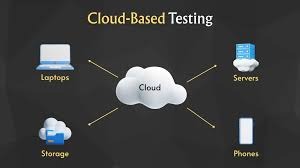
#1 Cloud Storage Considerations for Video Archives
Cloud storage can complement local storage, but should not replace it entirely.
Advantages:
- Geographic redundancy
- Remote access for distributed teams
Limitations:
- Long-term costs increase with large video files
- Vendor dependency
- Upload and retrieval times for high-bitrate footage
Local vs Cloud Storage Comparison
| Factor | Local Storage | Cloud Storage |
| Control | High | Medium |
| Accessibility | Limited | High |
| Long-Term Cost | Predictable | Variable |
How to Back Up Betacam Digital Files Correctly
Storage alone does not equal protection. Backup strategies ensure files can be recovered when something goes wrong.
The most widely accepted backup model is the 3-2-1 rule:
- Keep three copies of each file
- Store them on two different types of media
- Maintain one copy off-site
Backup Frequency and File Integrity Monitoring
Backing up files once is not enough. Long-term reliability depends on ongoing monitoring.
Key practices include:
- Treating master files as write-once assets
- Running checksum verification to detect corruption
- Performing periodic restore tests to confirm backups work
Closing Thoughts
Digitization preserves content, but organization, storage, and backups preserve usability. Betacam digital files that are clearly named, logically structured, stored across multiple systems, and regularly backed up are far more likely to remain accessible years from now.
A disciplined digital workflow reduces operational risk, supports compliance needs, and protects the long-term value of archived video assets.
For organizations that depend on Betacam footage, proper digital management is essential.