Have you ever wondered how professional editors make videos that look like movies? The right tools can turn a simple idea into a polished project. They save time, make editing easier, and improve the final video.
With so many options, choosing the right one can be overwhelming. Each software has unique features that help professionals work smarter. Knowing which tools fit your workflow is essential.
This guide will show the best video editing tools to boost creativity and efficiency. Keep on reading!
Adobe Premiere Pro
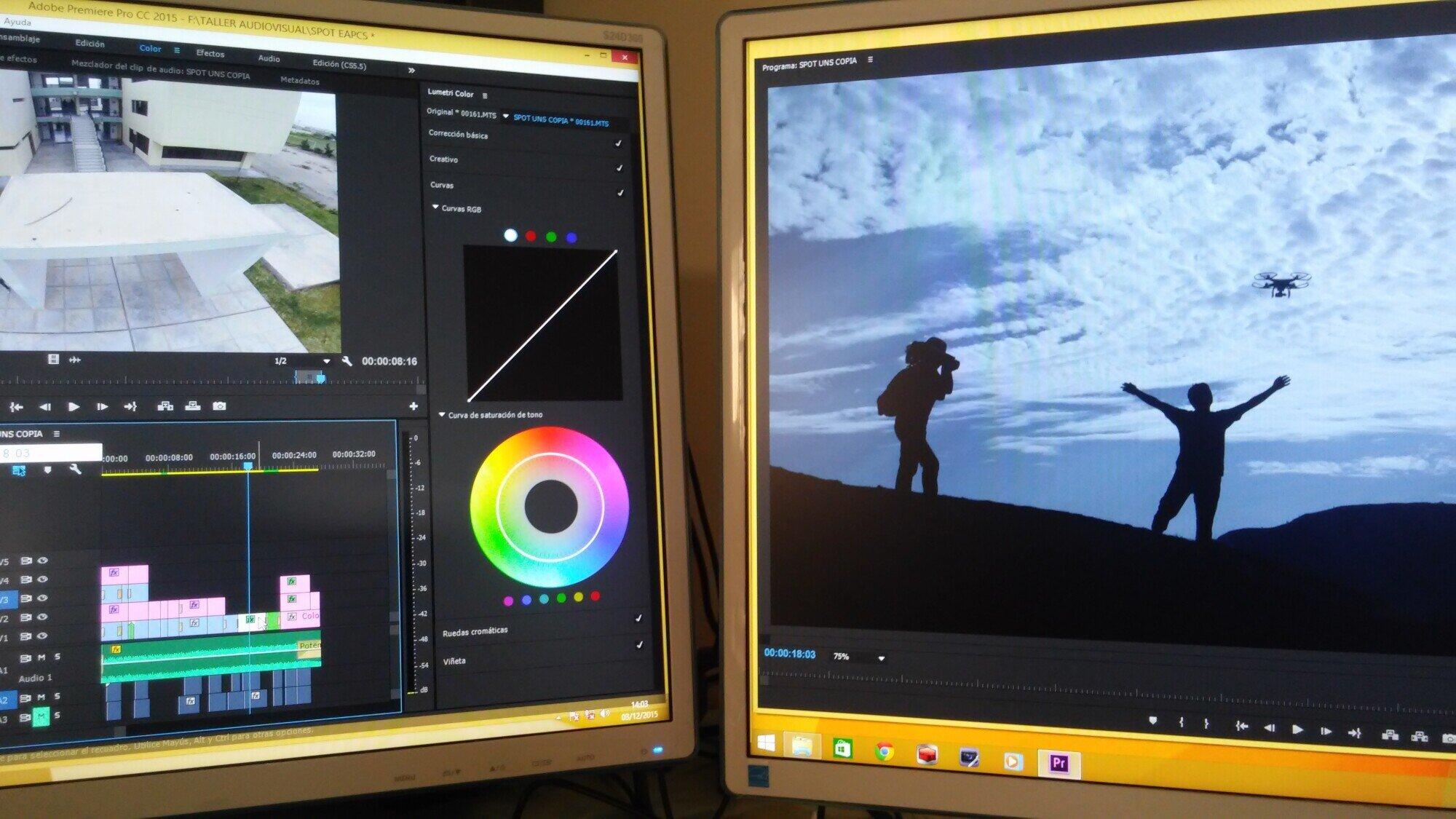
Adobe Premiere Pro is a top choice for professional editors. Its timeline makes it easy to arrange clips, add transitions, and adjust audio.
It works well with other Adobe apps like After Effects and Photoshop. Premiere Pro supports almost all video formats, including 4K and web-ready files.
Color grading and special effects tools help create stunning visuals. Regular updates keep it current with new cameras and editing trends.
Final Cut Pro
Because of its impressively smooth performance, Final Cut Pro is a favorite among Mac users. The Magnetic Timeline feature makes the process of arranging clips quick and easy. Editing with multiple cameras and motion graphics is just two of the powerful tools that are included.
Videos in 360 degrees, high dynamic range (HDR) content, and high-quality exports are all editable. It runs quickly and renders results quickly because it is optimized for Apple hardware.
Its speed and precision are appreciated by editors, and it does not compromise on quality. Because it is a one-time purchase, it is also more cost-effective than software that is a subscription.
DaVinci Resolve
The editing, color correction, audio, and effects capabilities of DaVinci Resolve are all integrated into a single platform. The color grading tools that it offers are among the very best in the current market.
Due to the fact that it encompasses all stages of editing, the software eliminates the requirement for additional programs. With both free and paid versions, it is accessible to both novices and experienced users.
It is simple to customize the layouts and controls, which helps to speed up the workflow. It is possible for teams to work together on projects in real time. In order to achieve cinematic results in a time-efficient manner, Resolve is an ideal choice.
HitFilm Pro
With HitFilm Pro, you can edit videos and add visual effects all in one convenient package. Its effects library enables editors to express their creativity without the need for additional software.
You are able to perform green-screen work, particle effects, and compositing in three dimensions. The production of titles, motion graphics, and transitions that are complex is not difficult. Users are able to learn more quickly due to tutorials and resources.
When working on large projects, the quick rendering engine helps save time. It is ideal for creative professionals who want to experiment visually, and HitFilm Pro is the perfect tool for them.
Sony VEGAS Pro
Both the quality and the ease of use of the Sony VEGAS Pro are well-known. It is capable of streaming 4K and 8K videos with crisp visuals. Smooth editing is achieved with the help of its timeline, audio mixer, and effects tools.
Several AI features automate tasks and increase production rates. There is support for all of the major cameras and output formats in VEGAS Pro.
Different styles can be accommodated by the customization of workspaces. Its dependability for professional work is maintained through regular updates.
iMovie
Mac users will find that iMovie is not only easy to use but also highly effective. Because of its drag-and-drop interface, editing is a quick and simple process. You can enhance the storytelling experience by incorporating transitions, filters, and music.
iMovie does a good job of working with Final Cut Pro for editing that is more advanced. When using Apple products, performance is very smooth.
It is an excellent tool for creating videos for social media or for providing quick client previews. Even though it is a simple program, iMovie is capable of producing results that look professional.
Camtasia
Camtasia is great for making presentations, marketing videos, and videos that teach. Screen recording and editing can both be done with just one tool. Things like text, callouts, and effects can be added to keep people interested.
Camtasia can work with a number of different video formats, and the transitions between them are smooth. With templates, you can save time and still get good results.
It’s easy for team members to work together, which makes managing projects easier. It works especially well for videos that are meant to teach or be used for business.
Online Video Editors
With online video editors, professionals are able to work from any location without the need for cumbersome software. Cloud platforms make it easy for distributed teams to collaborate with one another.
When using a browser, users have the ability to trim clips, add filters, and insert transitions. Editing can be done on the go thanks to mobile support.
There are some platforms that enhance the workflow and video quality by utilizing AI. These tools are useful for groups that require results in a short amount of time. When looking for the best video maker online, professionals can find options that strike a balance between making the software easy to use and providing powerful features.
Avid Media Composer
Avid Media Composer is a key tool for editing movies and TV shows. The company works on big projects and has advanced tools for managing media.
It’s very easy to use and very powerful to control the timeline, work together, and make music. It works with a lot of different formats, including footage that can be used in movies. Professionals depend on its dependability when they are working under tight deadlines.
It takes a while to get good at, but once you do, it gives editors a level of depth that is unmatched. Media Composer is still, without a doubt, the standard for professional video production.
Mastering Video Editing with The Best Tools
Select the appropriate video editing software to improve your creativity, output, and project quality. Digital editors can use HitFilm Pro, Adobe Premiere Pro, Final Cut Pro, and DaVinci Resolve.
Online editors like iMovie, Camtasia, and others make simple projects easier. Knowing the strengths and weaknesses of each tool can help professionals speed up their work and get cinematic results.
Buying the right software is important for every project. By learning how to use these top tools, editors can make great videos and work faster.
Did you like this guide? Great! Please browse our website for more!