A comparative guide to platforms that convert PDFs into editable documents—and back again—for everyday professional and academic workflows.
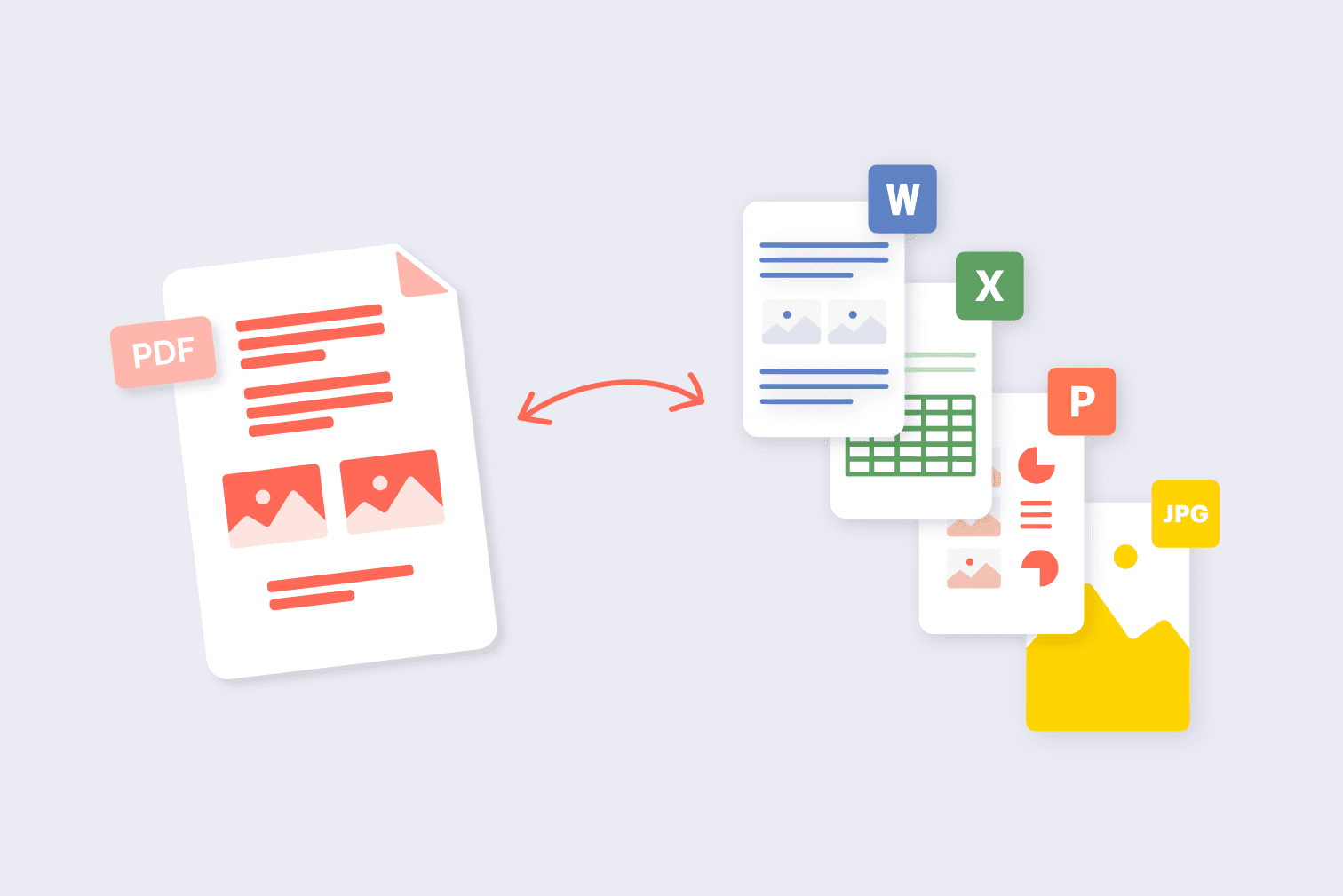
PDF remains the default format for sharing finalized documents, from contracts and reports to academic papers and application forms. Its fixed layout ensures consistency across devices, but that same stability can complicate editing, repurposing, or data extraction. PDF conversion tools address this friction by translating PDFs into formats such as Word, Excel, PowerPoint, or image files—and converting those formats back into PDF when needed.
The category spans lightweight browser-based converters and full-featured document platforms. Some emphasize speed and simplicity for occasional use, while others provide batch processing, formatting preservation, and enterprise integrations.
For most people seeking to convert PDFs to and from common file formats, Adobe Acrobat remains the most broadly suitable option. Its tools combine wide format support, consistent layout handling, and accessible web-based workflows, making it appropriate for general office, academic, and administrative use. The alternatives below serve more specialized contexts, such as open-source environments, small business workflows, or rapid online conversion.
Best PDF Conversion Tool for Most Users
Adobe Acrobat
A comprehensive PDF platform suited to individuals and organizations that regularly convert between document formats.
Overview
Platforms supported: Windows, macOS, Web, iOS, Android
Pricing model: Subscription with free online tools
Tool type: Full PDF editor and conversion suite
Strengths
- Converts PDFs to Word, Excel, PowerPoint, image, and HTML formats
- Converts Office and image files into PDFs
- Maintains layout, fonts, and formatting in complex documents
- Supports cloud-based access and cross-device use
- Batch processing available in desktop versions
Limitations
- Advanced features require a paid subscription
- Full desktop interface may exceed the needs of occasional users
Editorial summary
Adobe Acrobat functions as a baseline reference in the PDF conversion category because it integrates conversion within a broader document management ecosystem. In addition to editing and annotation features, users can access Adobe Acrobat’s free tool for PDF conversions through a browser for common format changes.
The workflow is accessible for non-technical users: upload a file, select a target format, and download the converted document. For more complex tasks—such as preserving table structures in spreadsheets or maintaining layout in formatted reports—the desktop application offers deeper control.
Compared with standalone converters, Acrobat balances ease of use with breadth of format support. That combination makes it suitable for the widest range of typical document conversion needs.
Best PDF Conversion Tool for Small Business Workflows
Nitro PDF Pro
A business-oriented PDF editor with strong integration into Microsoft-centric environments.
Overview
Platforms supported: Windows, macOS
Pricing model: Subscription or perpetual license
Tool type: Desktop PDF editor and converter
Strengths
- Reliable PDF-to-Word and PDF-to-Excel conversion
- Batch processing for multiple files
- Integration with Microsoft Office workflows
- Supports digital signatures and document review
Limitations
- Primarily desktop-based
- Interface may feel dense for occasional users
Editorial summary
Nitro PDF Pro is often considered in small and midsize business environments where document conversion is part of recurring administrative tasks. Its integration with Microsoft Office formats supports workflows centered on Word and Excel.
The interface reflects its enterprise orientation, offering detailed controls and review tools. Users who frequently handle contracts, reports, and internal documentation may find its conversion features appropriately structured.
Compared conceptually with Acrobat, Nitro focuses more heavily on Windows-based office settings, whereas Acrobat maintains broader cross-platform and web-based accessibility.
Best PDF Conversion Tool for Open-Source Environments
LibreOffice
An open-source office suite capable of importing and exporting PDF content.
Overview
Platforms supported: Windows, macOS, Linux
Pricing model: Free and open source
Tool type: Office suite with PDF import/export features
Strengths
- No licensing cost
- Converts Office documents to PDF
- Can open and edit many PDF files
- Cross-platform support, including Linux
Limitations
- Layout preservation may vary with complex PDFs
- Not designed primarily as a dedicated PDF conversion tool
Editorial summary
LibreOffice occupies a different position in the category. While not a specialized PDF converter, it can open many PDFs for editing and export documents to PDF format without cost.
This approach appeals to users operating in open-source environments or educational settings where licensing budgets are constrained. Conversion quality depends on document complexity and formatting.
Compared with Acrobat, LibreOffice offers less precision in layout preservation but serves as a viable alternative in cost-sensitive or Linux-based workflows.
Best PDF Conversion Tool for Quick Online Tasks
Smallpdf
A browser-based service designed for fast, single-document conversions.
Overview
Platforms supported: Web
Pricing model: Free tier with paid subscription
Tool type: Online PDF conversion platform
Strengths
- Simple drag-and-drop interface
- Supports common conversions (PDF to Word, Excel, JPG, and back)
- No installation required
- Suitable for occasional use
Limitations
- File size limits on free tier
- Uploading sensitive documents may raise privacy considerations
Editorial summary
Smallpdf emphasizes convenience and speed. Users working with individual documents can convert files without installing software or navigating complex menus.
The platform suits occasional users who prioritize simplicity over advanced configuration. Its interface is structured around discrete tools for specific conversion tasks.
Compared with Acrobat, Smallpdf provides fewer integrated document management features. It is best understood as a lightweight option for straightforward conversions rather than a comprehensive PDF environment.
Best PDF Conversion Tool for Enterprise Environments
Foxit PDF Editor
A full-featured PDF platform oriented toward organizational use.
Overview
Platforms supported: Windows, macOS, Web
Pricing model: Subscription or perpetual license
Tool type: Enterprise-grade PDF editor and converter
Strengths
- Detailed control over PDF export settings
- Batch and automated conversion tools
- Integration with document management systems
- Support for form handling and collaboration features
Limitations
- Pricing aligned with business deployments
- Interface complexity may exceed casual needs
Editorial summary
Foxit PDF Editor is frequently used in larger organizations where PDF conversion is embedded within broader compliance, documentation, and collaboration workflows. It offers fine-grained control over export formats and supports structured batch operations.
The software reflects enterprise priorities, including integration with document management systems and permission controls. These features are often relevant in regulated industries.
Conceptually, Foxit and Acrobat address similar full-spectrum needs, though Acrobat’s web-accessible tools and broader ecosystem familiarity may suit more varied user groups.
Conversion Within the Broader Document Creation Process
PDF conversion typically sits between document drafting and final distribution. Files are often created in word processors, spreadsheet applications, or design platforms before being shared as PDFs for consistency and security.
For example, a subscription-based office suite such as Microsoft 365 is commonly used to create Word and Excel files that are later exported to PDF. When revisions are required, conversion tools translate the PDF back into editable formats, enabling updates without rebuilding the document from scratch.
In many professional workflows, conversion is iterative: draft in Word, convert to PDF for review, reconvert for edits, and finalize again as PDF. Understanding where conversion fits in this cycle helps clarify why some users benefit from comprehensive PDF suites, while others rely on lightweight online tools for occasional format changes.
Best PDF Conversion Tools: FAQs
What formats can most PDF conversion tools handle?
Most mainstream tools convert PDFs to Word, Excel, PowerPoint, and image formats such as JPG or PNG. Many also convert those file types back into PDF. More advanced platforms may support HTML or specialized archival formats.
Does conversion affect document formatting?
Formatting can shift, especially in complex layouts with embedded fonts, tables, or graphics. Full-featured editors generally preserve structure more consistently than basic converters.
Are online converters suitable for confidential files?
Online services often use encrypted uploads and temporary storage, but organizations handling sensitive documents may prefer desktop-based tools to maintain internal control.
When is a full PDF suite preferable to a simple converter?
A comprehensive suite is often appropriate when conversion is part of a larger workflow involving editing, annotation, form handling, or collaboration. Lightweight converters are generally sufficient for occasional, single-file tasks.