
Creative work is booming: TechRadar Pro reports that communications openings climbed 25 percent in Q2 2025 as companies chase fresh, human storytelling. Yet that gold rush means each listing bursts with rivals, and recruiters still skim your résumé for roughly seven seconds, according to Scale.jobs. Before you grab that fleeting glance, you first have to outsmart the bots—ScoutApply notes that 97 percent of large employers now route applications through applicant-tracking software. The seven résumé builders below are built to sail past those filters, impress real people, and land better-paying writing gigs.
What freelance writers should look for in a résumé builder

You and I know a writer’s work history rarely fits a neat, chronological grid. One week you ghostwrite a founder story, the next you polish product copy for a SaaS launch. Your résumé has to keep up without turning into a design headache. First, any builder you choose must respect the robots. Applicant-tracking systems strip columns, graphics, and some fonts. If a template crumbles when converted to plain text, your samples vanish before a human ever sees them. Make “ATS-friendly” your non-negotiable starting point. Resume builder Novoresume’s templates, for instance, strip out decorative tables and extra columns by default, so when a file is parsed in an ATS like Greenhouse or Workday the headings and bullet points stay in the right order. A built-in ATS Resume Checker then scans your draft and flags formatting gaps or missing keywords, and 87 percent of users who apply its fixes report landing more interviews, according to the company.
It also offers a plain-text preview toggle, letting you see exactly what the bot will read before you hit download. Those quick diagnostics free you to spend time sharpening copy instead of troubleshooting layout. Next comes control. Freelancers juggle sections like “Clients and projects” or “Publications,” then shuffle them at will. A rigid, one-size layout forces you to bury standout bylines under “Other experience.” Look for drag-and-drop blocks and easy renaming so every pitch feels tailored. Portfolio access is equally crucial. Recruiters click; they never copy-paste URLs. Your builder should let you embed hyperlinks or thumbnail previews so an editor can jump straight to that viral feature you landed last quarter. Zero friction, no lost momentum. Speed matters, too. We tweak résumés constantly, swapping an SEO case study for a thought-leadership ghost piece depending on the gig. A good platform lets you duplicate your base résumé, adjust a few bullets, and export a fresh PDF in about five minutes. If it charges extra each time you duplicate, keep shopping.
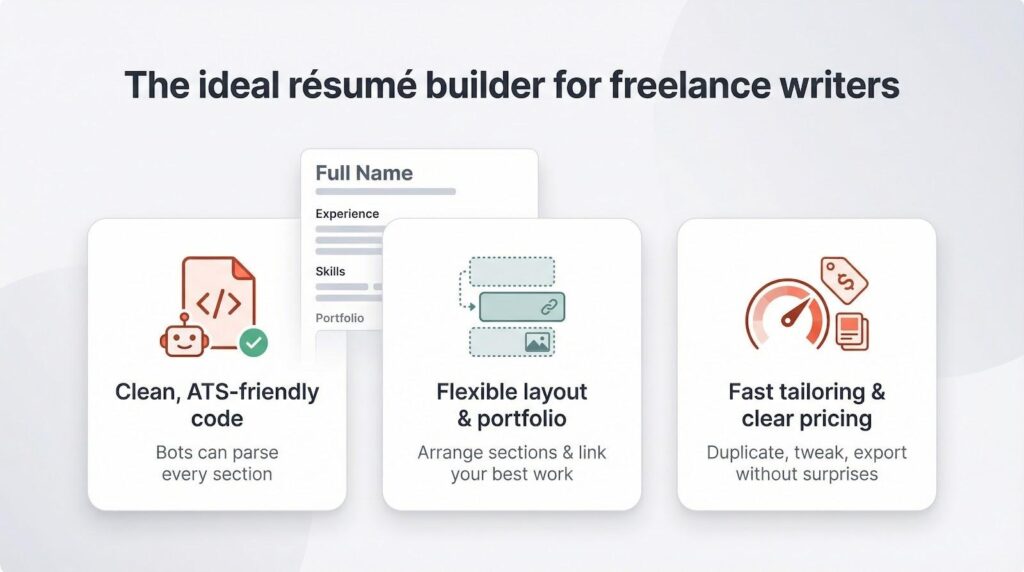
Because freelance income ebbs and flows, transparent pricing keeps surprises off your balance sheet. Many “free” builders lock the download button until you add a card. Read the fine print. A clear monthly fee or a genuinely free tier beats bait-and-switch pricing every time. Finally, consider built-in writing help. Light AI suggestions or example bullet libraries can sharpen phrasing without writing the résumé for you. Think of it as an on-demand editor, nudging verbs from “helped” to “elevated” so your impact pops. In short, the ideal résumé builder for a writer balances three essentials: clean code that bots read, flexible design that showcases creativity, and nimble tools that let you tailor on the fly. Nail those, and you can focus on the words that win the work.
1. Novorésumé – polish on demand
Picture a builder that feels more like a mentor than a template warehouse: Novorésumé’s in-browser ATS Resume Checker shows exactly how hiring software will parse your file. You can see the resume builder here and watch the preview update as you write.
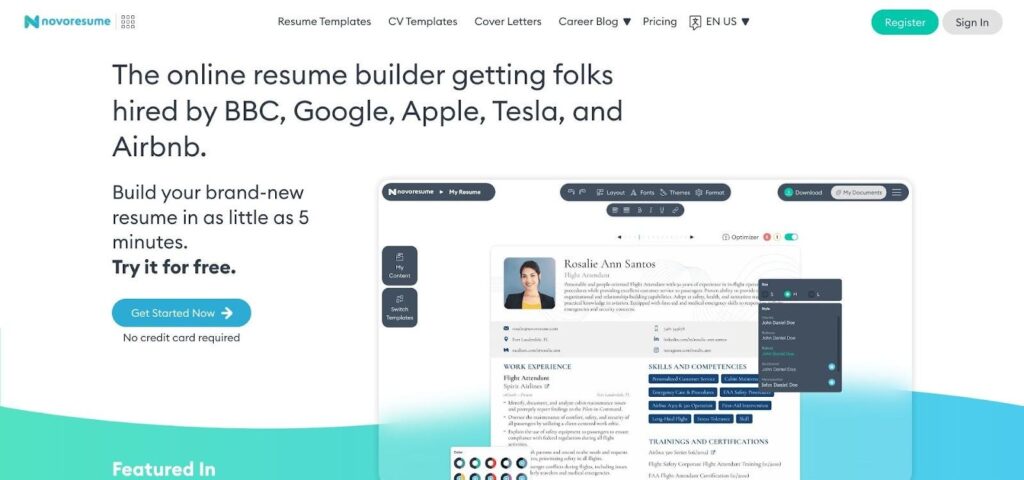
Novorésumé ATS resume checker and clean template interface screenshot.
That’s Novorésumé. The moment you open the editor, it guides you line by line, flags weak verbs, nudges keywords into place, and checks every tweak against ATS rules in real time.
Writers appreciate that gentle coaching. Drop in a byline and the content optimizer suggests tightening the angle or adding a performance stat. It’s like having a sharp-eyed editor whisper, “Show the result, not the task.”
Design stays ruthlessly clean. Sixteen recruiter-vetted layouts rely on smart typography and subtle color accents, so your flair never blocks a hiring bot. Each template reflows into one or two columns without breaking when you export.
Tailoring is quick. Need an SEO-heavy résumé for a SaaS pitch? Duplicate your base file, shuffle the order, and adjust bullets in under three minutes. Premium plans unlock unlimited versions, yet even the free tier lets you build a one-page hero document with no watermark.
Bottom line: when you want fast feedback, iron-clad formatting, and the freedom to spin new angles on demand, Novorésumé is a pragmatic ally for writers.
2. Enhancv – style without sacrificing substance
If Novorésumé is the tidy editor, Enhancv is the design-forward art director who also understands SEO. Open the builder and you’ll see modern templates that breathe: generous white space, subtle color blocks, and optional charts that map skills at a glance; you can even roll that same design into a matching cover letter with Enhancv in under a minute.
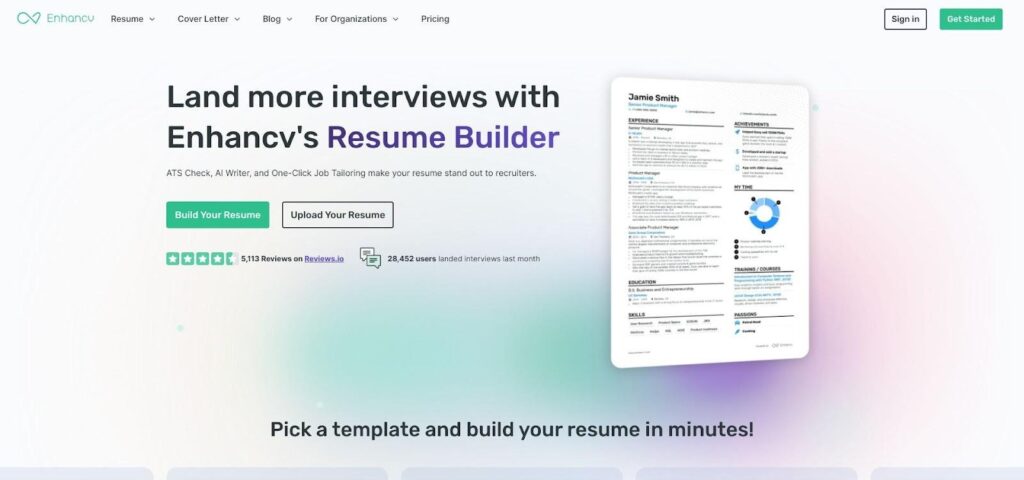
Enhancv design-forward resume templates and editor screenshot.
Drag-and-drop control lets you rearrange everything. Want a sidebar with a client quote? Slide it in. Prefer a single, story-driven column? One click. The layout stays intact on export, which keeps ATS robots and creative directors happy.
Smart tech hides under the polish. Paste a job post into Tailoring mode and watch keywords light up. The AI swaps “wrote articles” for “grew organic traffic 40 percent through data-driven content,” pushing each bullet toward measurable impact.
Perfectionists get a human safety net. Share a private link and Enhancv’s career coaches return annotated notes, catching gaps you missed. It feels like a micro-workshop built into the software.
Pricing stays honest: test every feature for 7 days with a watermark, then pay only when you need spotless downloads. Subscribe for a busy pitching month, pause when things slow down.
When you want a résumé that looks like a magazine spread yet reads like a conversion-focused landing page, Enhancv meets the brief.
3. Zety – speed when the deadline is yesterday
Some weeks you hear about a dream assignment at 9 am and need a polished résumé before lunch. That’s Zety’s wheelhouse. The builder guides you through each section like a form, then turns your answers into a sleek layout in seconds.
The real time-saver is its content library. Type “content writer” and a panel suggests battle-tested bullets. Click one, add a metric, move on. No staring at a blank field.
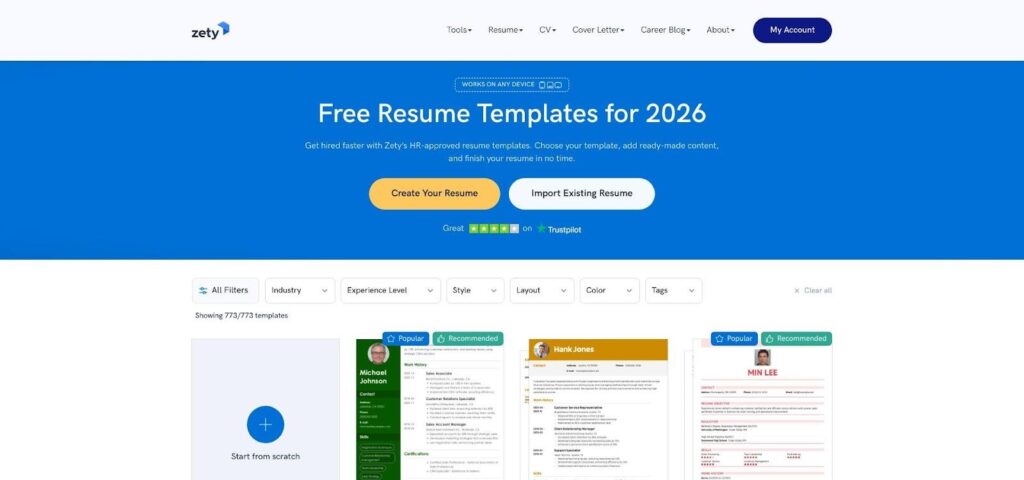
Zety resume builder content library and form-style interface screenshot. Templates stay safe yet stylish: muted color bands, single-column flow, and fonts every ATS accepts. You can swap designs mid-build without wrecking spacing, so experimentation costs zero time. Pricing hides no surprises. A $2, 2-week trial lets you export unlimited PDFs. Set a reminder to cancel and you’ll keep multiple versions for the price of a drip coffee. When speed outranks artistry and you still need professional polish, Zety turns raw notes into a client-ready résumé before your espresso cools.
4. Resume.io – friction-free editing for frequent updates
Resume.io wins on pure user experience. The editor shows a live preview beside every field, so each keystroke appears in the finished layout instantly. No guessing, no extra clicks. That real-time view makes small revisions—new byline, fresh stat, updated skill—feel as quick as posting a tweet. Templates stay minimal and classy: clean lines, ample white space, one accent color. You can swap designs at any point, and the text reflows perfectly. Because the structures are simple, every download glides through ATS scanners without hiccups.
Version control is another perk. Duplicate your master résumé, change a section headline, and export. Repeat whenever projects change. A $2.95, one-week trial lets you create multiple PDFs in a single sprint, then pause your subscription until the next pitch wave. If you tweak your résumé as often as you proofread client copy, Resume.io’s smooth interface saves hours and a few headaches.
5. Teal – free, laser-focused tailoring for every gig
Teal treats résumés the way you treat pitches: one prospect, one custom message. Paste a client brief into the dashboard and the keyword scanner grades how well your current résumé matches. Miss “case studies” or “HubSpot” and the gaps glow red. Fill them, rescan, and watch your score climb.
Teal resume keyword scorecard and match analysis dashboard screenshot. That feedback loop costs $0. Unlimited versions, unlimited downloads, zero watermarks. For budget-minded freelancers juggling multiple niches, Teal removes every paywall excuse. Design stays plain by choice: single column, readable fonts, generous margins. You breeze through ATS firewalls and keep the reader focused on results instead of graphics. An integrated job tracker sweetens the deal. Save leads from LinkedIn, Upwork, or cold-email lists, then attach a tailored résumé to each card. Your pitching pipeline lives in one tab instead of scattered spreadsheets. If you crave extra flair, pair Teal with Canva. If you want fast, data-driven alignment between your wins and a client’s wish list, Teal is tough to beat at $0.
6. FlowCV: zero-cost formatting when you just need it done
FlowCV is the online equivalent of a blank InDesign file that styles itself. Open the site, pick a pared-back template, and start typing. No account, no credit card, no “export disabled” pop-up. Within minutes you download a crisp PDF free of watermarks or fine print. Simplicity is the brand. Templates stay single column with clean fonts and subtle color accents. That restraint keeps your prose front and center and guarantees every ATS reads the file without errors.
Editing feels lighter than Google Docs. Toggle sections on or off, drag entries up or down, and watch the preview update in real time. FlowCV even lets you hide individual bullets, so you can build a niche-specific version without deleting hard-won wins. The trade-off for that speed is limited extras. You won’t see AI bullet suggestions, cover-letter builders, or design-heavy layouts here. Think of FlowCV as a quick-formatting pit stop when a prospect suddenly asks for a résumé and you only have your portfolio link on hand. Keep it bookmarked. One afternoon you’ll need a polished document in under 10 minutes, and FlowCV will save the day for exactly $0.
7. Canva: unleash full creative flair, cautiously
Canva is where résumés meet mood boards. More than 8,000 templates wait, from minimalist black-and-white spreads to magazine layouts bursting with color. Drag, drop, resize, and the page bends to your vision.

Canva resume templates gallery showing creative and minimalist layouts screenshot. Freedom is thrilling and risky. Add extra icons or split text into unpredictable columns and an ATS may read gibberish. Stay disciplined: limit yourself to two fonts, keep graphics in the margins, and ensure each section flows top to bottom. Follow that recipe and recruiters receive a document as curated as your best feature story.
Writers chasing agency or brand-side gigs often run a two-file playbook: a pared-down PDF for portals and a Canva showpiece for creative leads. The wow factor opens doors; the plain version clears scanners. Cost stays friendly. Most résumé templates cost $0. Premium elements unlock with a $14.99 Pro trial you can cancel once the design is locked. Use Canva when design itself is part of the sales pitch. Remember: clarity first, artistry second. Your words still close the deal.
Quick-glance comparison
Sometimes you just need the facts at a glance. The grid below distills each builder’s strengths and quirks so you can shortlist without rereading every review.
| Tool | Free PDF? | Tailoring help built in | Portfolio links | Cost to unlock full features |
| Novorésumé | 1-page PDF | Real-time AI optimizer | Yes | $16 per month |
| Enhancv | Watermarked trial | AI keyword match + human notes | Yes | $10–20 per month |
| Zety | $2, 2-week trial | Bullet library and prompts | Shareable link | $24 per month after trial |
| Resume.io | Text-only free download | Basic writing tips | Yes | $2.95, 1-week trial |
| Teal | Yes, unlimited | Keyword scorecard | Yes | Free (Pro plan optional) |
| FlowCV | Yes, unlimited | None | Yes | Free forever |
| Canva | Yes (manual export) | None | Full design control | Mostly free; Pro assets extra |
How to pick the right builder for your workflow
Start with honesty about your process. If you send 20 cold pitches a week, automation and free duplicates matter more than design flair. Teal or Zety shave hours off keyword tailoring, letting you focus on outreach instead of formatting. If you court boutique agencies where aesthetics speak louder than volume, Enhancv or Canva weave personality into every pixel and turn your résumé into a quiet copy test.
Novorésumé and Resume.io land in the middle. They stay conservative enough for corporate portals yet nimble enough to update after each milestone. Think of them as daily drivers: reliable, polished, always ready. Keep FlowCV bookmarked for emergencies. A client may ask for a résumé 5 minutes before a call; FlowCV converts raw text into a clean PDF before the ringtone ends.
Conclusion
Choosing the right résumé builder comes down to balancing speed, customization, design, and budget. Match the tool’s strengths to your workflow, and you’ll spend less time wrestling with formatting and more time landing freelance writing gigs that actually pay.