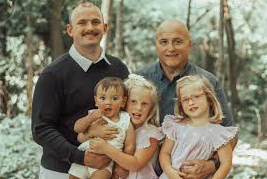
Group photos are a nightmare to edit. One person blinks, another has harsh shadows, someone’s caught mid-word with an awkward expression, and that one friend somehow always looks perfect. Getting everyone to look their best in a single shot feels impossible, but with the right editing approach, you can fix multiple issues without making the photo look over-processed.
The challenge with group shots is that each person needs different adjustments—what works for one face ruins another. Services like https://retouchme.com/ allow you to apply individual edits to each person in the frame, giving everyone personalized retouching while maintaining a cohesive, natural look.
Fix Individual Lighting Issues
Group photos often have uneven lighting—people on the edges might be in shadow while those in the center get direct light. Rather than applying one filter to the whole image, use selective brightness adjustments.
Brighten faces in shadow without overexposing those already well-lit. Target specific areas to balance skin tones across all subjects without flattening the natural depth of your photo.
Address Different Skin Concerns
Everyone’s skin is different. One person might need blemish removal, another could use smoothing, while someone else looks fine as-is. Blanket filters make everyone look waxy and fake.
Apply targeted skin retouching:
· Smooth only where needed, preserving natural texture
· Remove temporary blemishes like breakouts or redness
· Even out skin tone for individuals without affecting others
· Keep freckles and natural features intact
Handle Varying Expressions
Catching everyone with a great expression simultaneously is nearly impossible. Someone always blinks or looks away at the wrong moment.
Use face-specific adjustments to open closed eyes subtly, soften unflattering expressions, or adjust angles slightly. The goal is making everyone look engaged and happy, not creating identical expressions.
Balance Colors and Tones
Different skin tones require different color corrections. What makes one person look healthy might make another look orange or washed out.
Apply individualized color adjustments to each face. This is especially important in mixed lighting where some people have warm tones from artificial light while others have cooler tones from windows.
Manage Backgrounds Without Losing People
Busy backgrounds distract from the group, but aggressive blur can accidentally blur people on the edges. Use precise selection tools that keep all faces sharp while softening only true background elements.
Pay attention to edges where people meet the background—sloppy editing here makes the whole photo look fake.
Keep the Group Dynamic Natural
While fixing individual issues, maintain the authentic feeling of the group interaction. Don’t over-edit to where everyone looks like they’re in separate photos pasted together. Keep consistent lighting direction, maintain realistic shadows where bodies overlap, and preserve the natural color palette. The photo should still feel like a candid moment, just with everyone looking their best.
The key is individual attention with overall cohesion – targeted edits make everyone look great while preserving the genuine moment together.