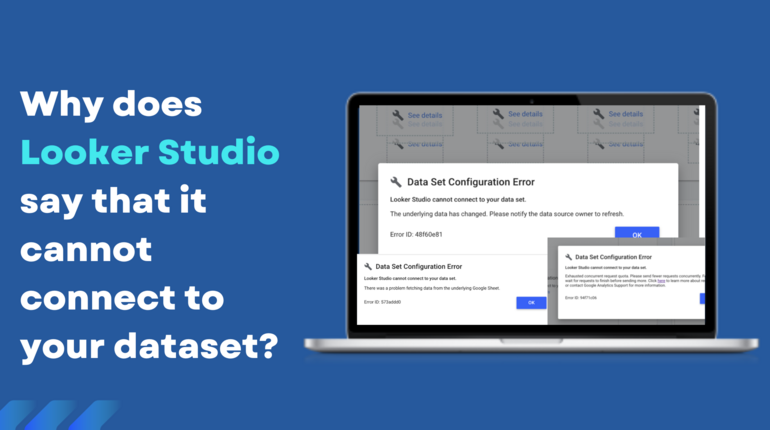
Looker Studio dashboards provide teams with powerful insights into marketing performance, but even small errors can distort metrics and mislead decision-making. Catching these errors early is essential to maintain trust in dashboards and ensure actionable insights.
Many organizations use Studio error detection tools to identify inconsistencies, flag anomalies, and reconcile metrics automatically, allowing teams to focus on analysis rather than manual troubleshooting.
Identify Common Error Types
Understanding frequent error patterns helps teams recognize problems before they escalate.
Typical errors include:
- Missing or incomplete data
- Misaligned metrics across multiple sources
- Duplicate entries or overlapping datasets
- Outdated or delayed refresh schedules
- Incorrect aggregation or calculation formulas
Monitor Key Metrics for Anomalies
While not every fluctuation is an error, sudden changes in KPIs can indicate underlying issues. Teams should focus on high-impact metrics and cross-check them regularly.
Tips:
- Compare metrics against historical trends for spikes or drops
- Watch for mismatches between raw source data and dashboard values
- Prioritize checking conversion rates, engagement metrics, and traffic volumes
Audit Data Sources Regularly
Errors often originate upstream. Verifying the integrity of each source ensures that dashboards display accurate information.
Audit steps:
- Map all data pipelines feeding into dashboards
- Validate API connections and imported datasets
- Remove redundant or outdated feeds
- Periodically review data source health and completeness
Validate Calculations and Blends
Looker Studio blends multiple data sources, which can introduce errors if configurations are incorrect.
Best practices:
- Check joins for proper keys and matching dimensions
- Validate calculated fields with sample datasets
- Document all formulas and aggregation methods
- Test blended reports for consistency across metrics
Use Alerts and Automated Checks
Manual validation alone is insufficient for large-scale dashboards. Automation helps detect anomalies efficiently.
Recommended practices:
- Set threshold-based alerts for unexpected KPI deviations
- Schedule automated data refreshes to avoid stale information
- Integrate anomaly detection into routine reporting
- Monitor recurring errors and adjust workflows accordingly
Encourage Team Collaboration
Collaboration across teams ensures errors are caught from multiple perspectives and reduces oversight.
Collaboration strategies:
- Include analysts, marketers, and operations in dashboard reviews
- Share error logs and corrective actions with stakeholders
- Conduct regular workshops to improve dashboard literacy
- Maintain open channels for reporting suspected errors
Leverage Analyzer Tools
Using Studio error detection tools allows teams to identify issues proactively, reconcile conflicting metrics, and maintain reliable reporting.
Key benefits:
- Real-time anomaly detection across channels
- Automated reconciliation of blended datasets
- Reduced manual effort for auditing
- Audit trails for compliance and historical verification
Scaling Accuracy Across Dashboards
Organizations often adopt the Dataslayer dashboard platform to manage multiple dashboards efficiently. Centralized platforms provide:
- Consistent metric definitions and naming conventions
- Automated error alerts and anomaly monitoring
- Scalable reporting for expanding campaigns
- Easy collaboration across teams
- Historical tracking to prevent recurring mistakes
Maintain Long-Term Accuracy
Ongoing maintenance ensures dashboards remain reliable over time:
- Audit sources, blends, and KPIs regularly
- Update formulas and calculation methods as campaigns evolve
- Document errors, corrections, and process improvements
- Train new users on validation procedures and error spotting
- Incorporate feedback loops to refine dashboards continuously
Future-Proofing Dashboards
Dashboards must adapt as campaigns grow and data complexity increases. Flexible and modular designs combined with automation and centralization ensure that errors are caught quickly, even at scale.
Steps to future-proof:
- Keep verification rules modular for easy updates
- Integrate new data sources efficiently
- Maintain consistent metric definitions across expansions
- Regularly review dashboards for relevance and usability
Final Thoughts
Spotting errors in Looker Studio dashboards is critical for accurate decision-making. By understanding common error types, auditing sources, validating blends, implementing automated checks, and leveraging Studio error detection, teams can maintain reliable, actionable reporting.
Platforms likethe Dataslayer dashboard platform provide centralized management, improve collaboration, and scale processes, enabling marketers to focus on strategy, insights, and campaign optimization.